


Function Introduction
The product expands the open Android system platfom through thecar USB interface,supports the installation of applications at any time ,andrealizes more audio-visual entertainment and navigation functions.Besides,it also supports 4G/GPS/Bluetooth/Phone/Mobile Connectivityenables wireless CarPlay and wireless Android Auto.
Product Specification
| Chip: | Qualcomm Snapdragon 6225 8-core | Operating System: |
Android system |
| Storage: | 4GB(RAM) + 64GB(ROM) | Global Positioning: | GPS/GLONASS/BeiDou |
| Operator Version: | US(NorthAmerica) / OS(Europe,Asia) | Bluetooth: | 4.2BLE+5.0BLE |
| Communication Standard: | LTD-FDD/LTE-TDD/WCDMA/GSM/EDGE | Power Input: | 5V/1A |
| Wireless Network: | 802.a/b/g/n/ac,2.4G+5G | Temperature: | -20℃~75℃ |
Compatible cars and mobile phones
- Applicable models: The original car with wired CarPlay
- iPhone: Support iPhone 6 and above,for iOS 10 and above
- Android phone: Support Android 11.0 and above
Product Description
-

Qualcomm Chip 6125 / 6225
Android Operating System
ARM® Cortex™-A73, 2.0GHz
ARM® Cortex™-A53, 1.8GHz -

Built-in Android Auto & Apple Carplay
Supports wireless connection to share all iPhone/Android functions (like music, movies, and navigation).
It's also compatible with steering wheel controls, helping you stay focused on driving while adjusting settings.


Connection Instruction
-

Connection Instruction
In original car system interface(the specific interface is subject to the actual car model),click "CarPlay" on the screen,then enter to products Android system interface.
SIM/TF Card Slot Instruction
SIM Card Slot:Support 4G Network,real-time traffic Internet access (SIM card is inserted with the metal face up)TF Card Slot:Expandable up to 256GB(TF card is inserted with the metal face up)
-

About Contact Sync
Insert the SIM card,click the"phone"icon to add existing contacts,or click the"BT Phone"icon to pair with the mobile phones Bluetooth,and the mobile contacts can be synchronized to the car screen. click the"Car"icon to return to the original car system.
About the Setting
Click the "Settings" icon to change languages,customize wallpapers,etc


-

Wireless CarPlay / Android Auto Connection
- Click the"SpeedPlay"icon to enter the connection interface
- Turn on the Bluetooth and WiFi of the iPhone/Android phone
- Search the Bluetooth name displayed on the car screen in theBluetooth list of the mobile phone, and click pairing
- Wait for the connection to succeed, and the wireless CarPlay/Android Auto will work
-

Download APPs
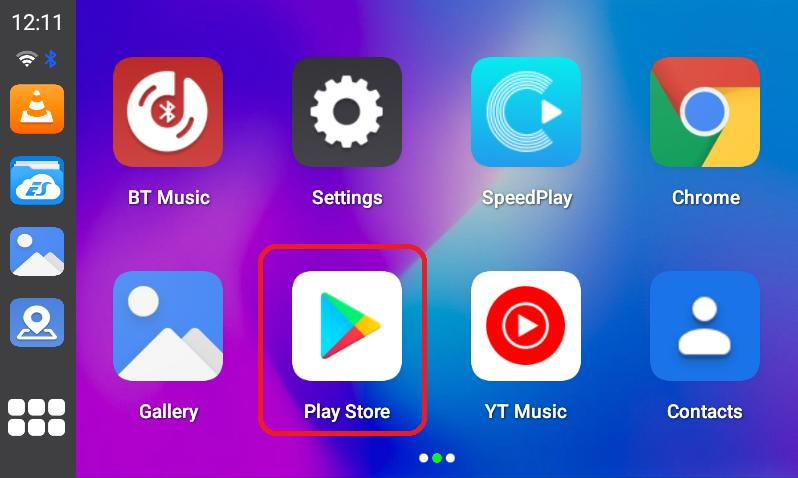
Click the "Play Store",then you can download various apps.It supports third-party map navigation,online music,plenty of awesome videos and online games, which make your driving life joyful.

